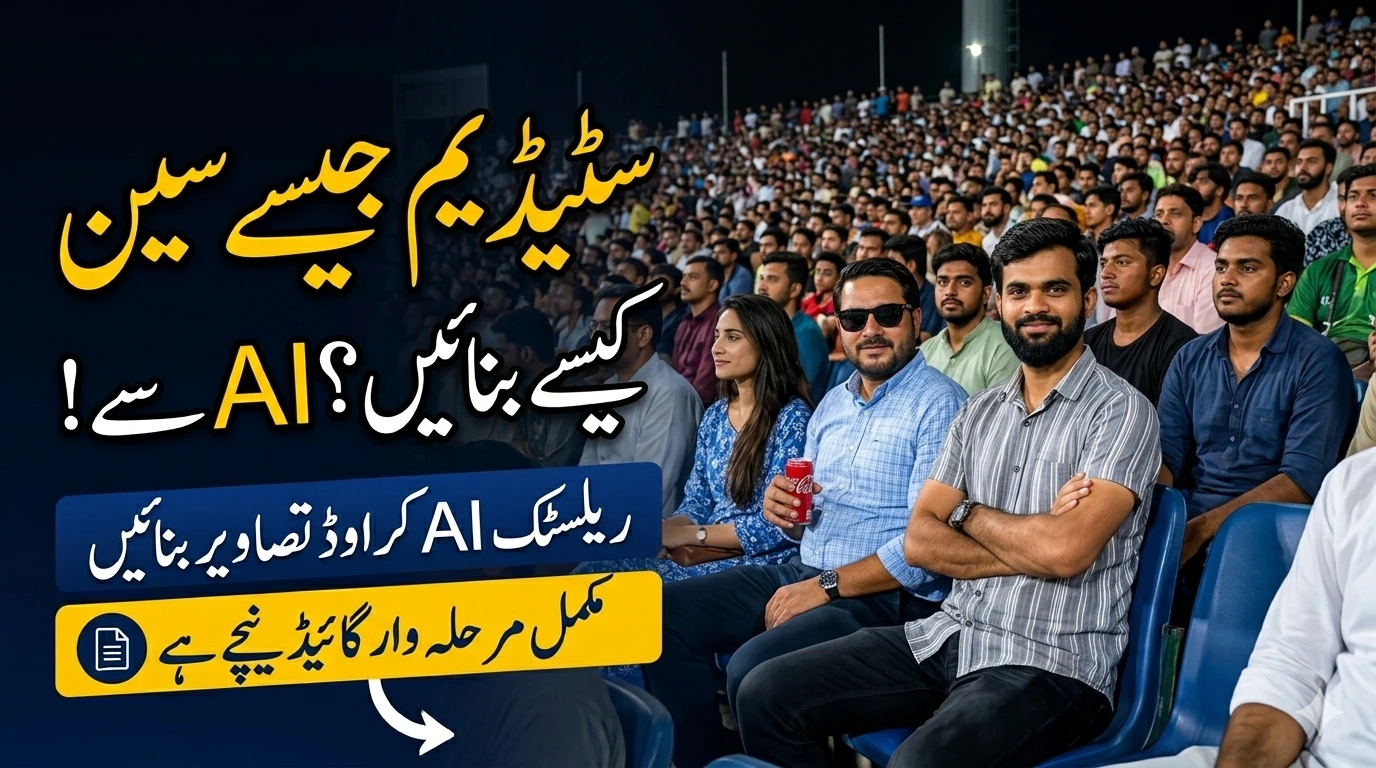
Creating stadium-style pictures has become one of the fastest-growing trends in digital content creation. From cricket fans to football lovers, everyone wants that cinematic crowd-filled shot that looks like it was captured during a live match. The interesting part is that you don’t actually need to visit a stadium anymore. With AI tools and modern editing apps, you can create highly realistic stadium images directly from your phone or laptop in just a few minutes.
These photos are not just regular edits. They carry emotion, energy, and a sense of being part of something huge. Whether it’s a PSL-style cricket moment or a dramatic football crowd scene, stadium photos instantly grab attention on social media platforms.
Read Also: KP Free Solar Scheme 2026 Online Apply – Documents, Eligibility & Latest Updates
Why Stadium Pictures Are So Popular
Stadium images have exploded in popularity because they combine emotion, scale, and storytelling in one frame. A simple portrait suddenly becomes powerful when placed in a massive cheering crowd.
Social Media Trends Behind Stadium Edits
Platforms like Instagram, TikTok, and YouTube Shorts are filled with AI-generated sports edits. Creators use stadium backgrounds to make ordinary photos go viral. The algorithm also favors visually rich and emotional content, which makes stadium images even more effective.
Emotional and Cinematic Appeal
A stadium represents energy, excitement, and unity. When your photo is placed inside such an environment, it automatically feels cinematic. It’s like turning your life into a movie scene where you are the main character under bright stadium lights.
Read Also: Study in Germany Without IELTS in 2026 – Scholarships, Universities, and Complete Application Guide
Types of Stadium Photo Styles
Before creating your image, it’s important to choose the right style. Each stadium type creates a different mood.
Cricket Stadium Style
Cricket stadium edits are extremely popular in South Asia, especially for PSL and IPL fans. These images usually include bright floodlights, packed crowds, and broadcast-style zoom effects that mimic live TV coverage.
Football Stadium Style
Football stadium edits focus on dramatic lighting and European-style arenas. The crowd is massive, and the green field creates a strong contrast that makes the subject stand out.
Concert or Event Stadium Style
This style is more artistic and influencer-focused. It includes colorful lights, stage effects, and energetic crowd visuals, perfect for stylish portraits or creative Instagram posts.
Read Also: Get Your Car E Smart Card 2026 Online Apply: A Modern Way to Manage Vehicle Registration
Tools You Need for Stadium Photo Creation
You don’t need professional equipment anymore. Modern tools can do most of the work for you.
AI Image Generators
AI tools have changed everything. You can simply upload your photo and describe the scene you want. Popular options include:
-
Canva AI
-
Leonardo AI
-
Adobe Express AI
-
ChatGPT image tools
These tools generate realistic stadium environments in seconds.
Editing Apps for Manual Work
If you prefer control, manual editing apps are a great choice:
-
PicsArt
-
Adobe Photoshop
-
Snapseed
These apps help refine lighting, shadows, and background blending.
Step-by-Step Guide to Create Stadium Pictures
Choosing the Right Photo
Start with a clear, high-resolution image. The subject should be well-lit and facing the camera in a natural pose. Avoid blurry or dark images because they reduce realism.
Removing Backgrounds
Use AI background removers to isolate your subject. Clean edges are extremely important here because even small mistakes can make the final image look fake.
Adding Stadium Background
Next, insert a stadium image behind your subject. Choose a high-quality background with realistic crowd details and lighting effects.
Lighting and Shadow Matching
This step is critical. Adjust brightness, contrast, and color tones so your subject matches the stadium environment. Without proper lighting balance, the edit will look unnatural.
Read Also: Maryam Nawaz Electric Bike Scheme 2026 Apply Online
Best AI Prompt Techniques for Realistic Results
AI prompts are the secret weapon behind viral stadium images. The more detailed your prompt, the better the result.
A strong prompt should include:
-
Stadium type (cricket, football, concert)
-
Lighting conditions (night match, floodlights)
-
Camera angle (broadcast zoom, telephoto shot)
-
Emotion and pose
-
Background crowd details
Example:
Create a realistic cricket stadium broadcast shot with a packed crowd, night floodlights, cinematic zoom camera angle, and natural skin tones. The subject should look like part of a live PSL match atmosphere with depth of field and motion blur.
Small details like “broadcast camera style” or “telephoto lens effect” make a huge difference in realism.
Read Also: Be a Part of MrBeast Games Season 3: How to Apply, Tips & What to Expect
Manual Editing Method for Professionals
Manual editing gives you full control over every detail. Professionals use this method to achieve high-quality results.
Start by placing your subject in the stadium background. Then adjust:
-
Color grading
-
Shadow depth
-
Blur intensity
-
Light direction
Finally, add slight grain or noise to match real broadcast footage. This step makes the image look like it was captured by a stadium camera rather than edited on a phone.
Read Also: PM Mera Pakistan Mera Ghar Scheme 2026: Eligibility, Apply Process & Complete Guide
Best Camera Angles for Stadium Photos
Camera angle plays a huge role in realism.
Broadcast Camera Style
This is the most realistic option. It mimics real sports coverage with zoomed-out crowd shots and natural framing.
Close Portrait Style
This style focuses on the subject with a blurred background, creating a cinematic look.
Crowd Reaction Style
This angle captures emotions from the audience, making the image feel alive and energetic.
Read Also: Multiple Jobs in Saudia Arabia 2026 Apply Now
How to Make Stadium Photos Look Realistic
Many edited images fail because they don’t look natural. Here’s how to fix that:
Use consistent lighting between subject and background. Add natural shadows under feet and around objects. Avoid overly smooth skin filters because they reduce realism. Keep crowd slightly blurred to simulate depth of field. Use high-resolution assets for better quality.
Common Mistakes to Avoid
One of the biggest mistakes is incorrect perspective. If your subject does not match the stadium angle, the image instantly looks fake.
Other mistakes include:
-
Over-smoothing faces
-
Using cartoon-like colors
-
Missing shadows
-
Poor cutout edges
-
Unrealistic brightness levels
Avoiding these issues will significantly improve your results.
Viral Stadium Photo Editing Trends
Social media creators are now using advanced techniques to make stadium photos go viral. These include:
-
AI-generated crowd enhancement
-
Broadcast-style scoreboards
-
Emotional couple edits
-
Cinematic zoom effects
-
Live TV overlays
These elements make the image feel like a real sports broadcast screenshot rather than a simple edit.
Expert Tips for Social Media Growth
If your goal is to go viral, focus on storytelling. Don’t just create an image—create a moment. Emotional expressions, dramatic lighting, and realistic crowd reactions help boost engagement.
Consistency also matters. Posting multiple stadium-style edits builds a recognizable visual identity that audiences can follow.
Future of AI Stadium Image Creation
The future of stadium image creation is moving toward fully automated cinematic generation. AI will soon be able to create real-time sports moments with realistic crowd reactions, lighting, and motion effects.
We are already seeing early versions of this technology in AI video generation tools, and the quality is improving rapidly.
Read Also: Pakistan Launches AI Seekho 2026: How to Participate in Ai Seekho? Win 2.5 Million Rupees
Conclusion
Learning how to make a picture in a stadium is no longer difficult. With AI tools and simple editing techniques, anyone can create cinematic sports-style images from home. The key is to focus on realism—proper lighting, correct angles, and natural blending.
Whether you want a cricket stadium vibe or a football broadcast look, the right combination of tools and creativity can turn an ordinary photo into something extraordinary.
FAQs
1. Can I create stadium photos without Photoshop?
Yes, AI tools like Canva AI or mobile apps like PicsArt can do the job easily.
2. Are AI stadium images realistic?
Yes, if you use detailed prompts and proper lighting adjustments, they can look very realistic.
3. Which is the best app for stadium editing?
Adobe Photoshop is best for professionals, while PicsArt is great for beginners.
4. Why do my stadium edits look fake?
Usually due to bad lighting matching, wrong perspective, or poor cutout edges.
5. Can I use stadium images for social media growth?
Absolutely. They are highly engaging and often perform well on Instagram and TikTok.